
Filters help clients to find the right material – you can define filters based on materials Meta Data which is driven by a given Field Configuration.
# Graphical User Interface
Before we head towards Platform Configuration we want to give you a short introduction on how the UI of Showcase Platform is structured.
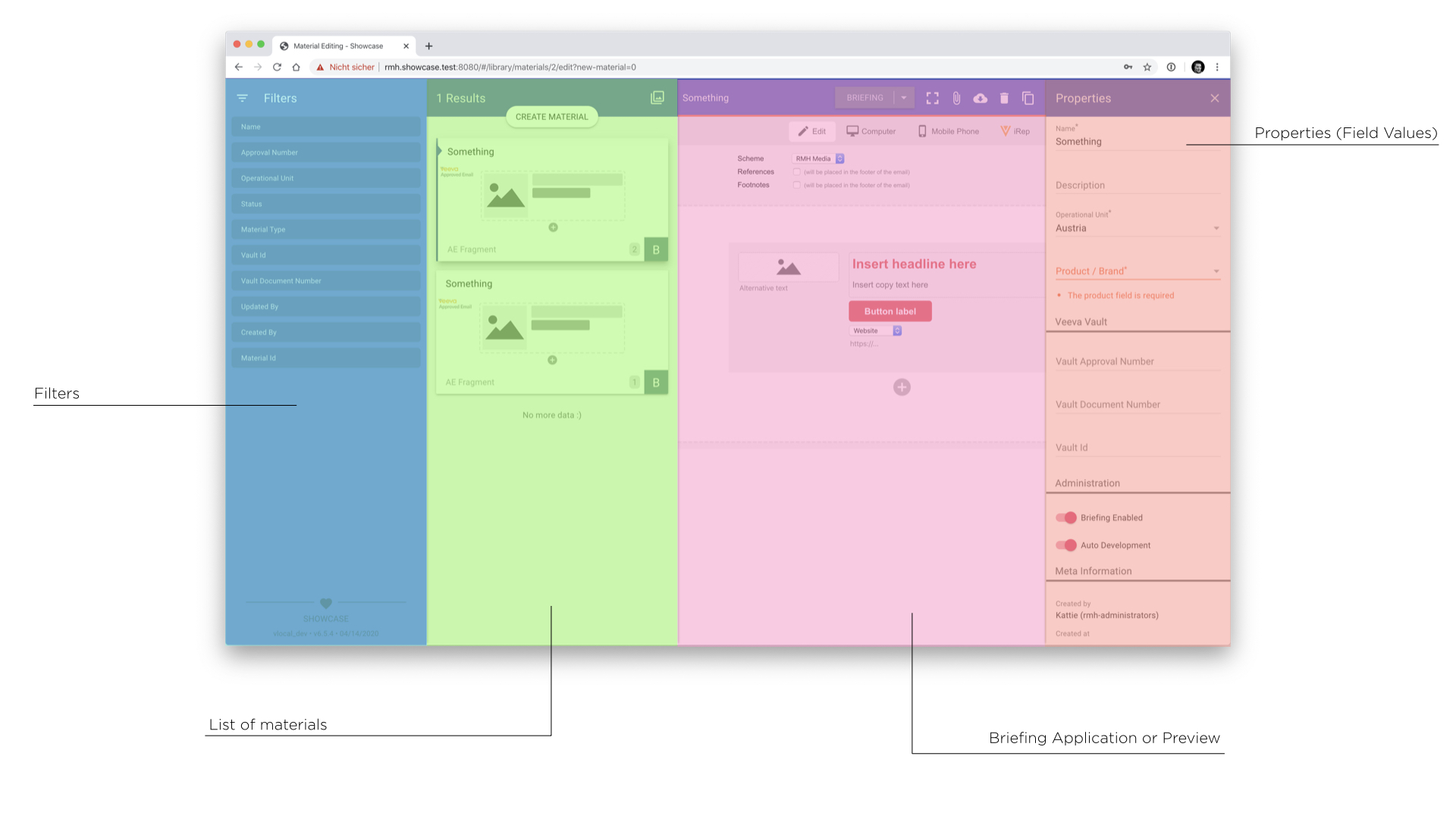
Filters Section
Result List
Obviously the search results using the given set of filters defined in the first section appear within this section.
Content (Application or Preview)
Inside the content area SCP may load the Real-World-Preview of the content or might show the content application if no preview exists.
Properties
Within the Properties Section Users may edit contents of fields – always based on their permissions and the Status of the current material.
# GUI Filters
Within the Filters Section Users may see a specified set of filters based on...
- ...a predefined set of filters for their given role
- ...the assigned fields of all materials available
- ...the settings of the given fields
- ...the existence of matching materials in the database
You will learn more about GUI Filters in the Fields Configuration
# Material Card
The Material Card located inside the Result List will give a short overview of what is important for the material.
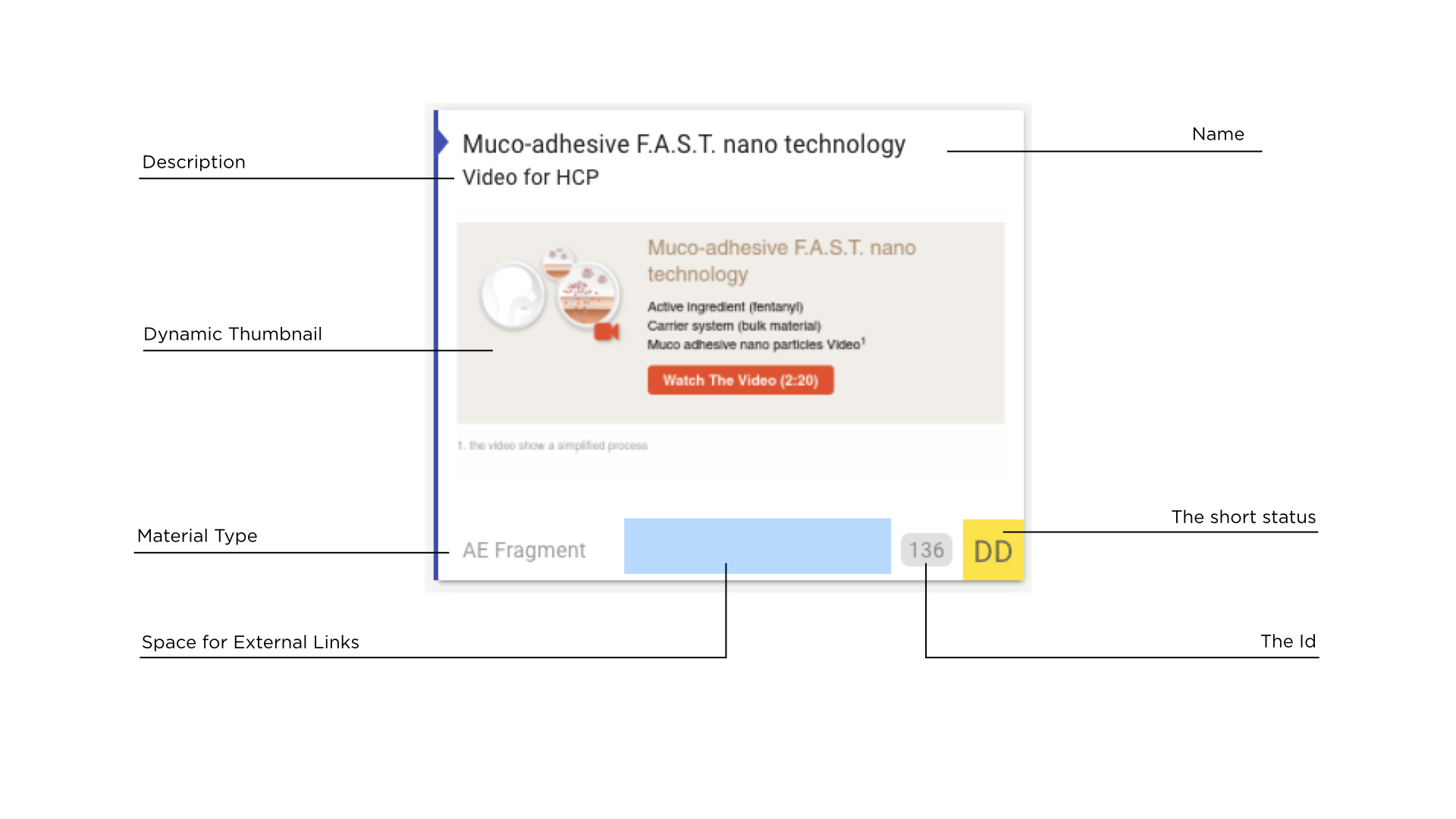
For basic information the fields description, id and name are used. The Field materialType is used to display its
given type at the bottom of the card. Status always have a short and a long name, used to be displayed on the card
and on the content area.
External Links
As Showcase Platform connects to different external services, it might be sufficient to let the user know which kind of connection exists to the outside world.
External Links enable you to configure such connections and place them on the card if wanted.
There is a specific section in the Config Guide about External Links
# Content Area
The content area is divided into two different views – the editing and the preview view. SCP usually tries to load
the preview of the given material at first, if this could not be found, it will show up the given application configured
inside the underlying Material Type.
# The Content App
If there is no preview available or the user has switched to the editing view of the content area manually, SCP loads up the content application (called content app). All content-related options / features etc. belong to the content application which just interacts with SCP via defined interfaces. Showcase Platform does not exactly know what is going on inside the application – it is kind of a sandboxed app which runs for it own.
Applications are a core feature of Showase Platform, which makes it so powerful. There is a dedicated guide about app development if you want to checkout more.
# Properties
Material Meta Data is listed within this section. Every piece of information is managed by the field which offers a lot of customization on its own.
Checkout the guide on Fields to learn more about your options.