# Handling Client Keys and Secrets
To transfer responsibility for storing sensitive client data and keeping it secret, we have implemented Google Secret Manager. With that tool we can store sensitive client data in the cloud on Googles Servers.
# Storing Secrets inside the Google Cloud Platform
You open the Showcase Manager and login. There you find a menu entry Secrets.
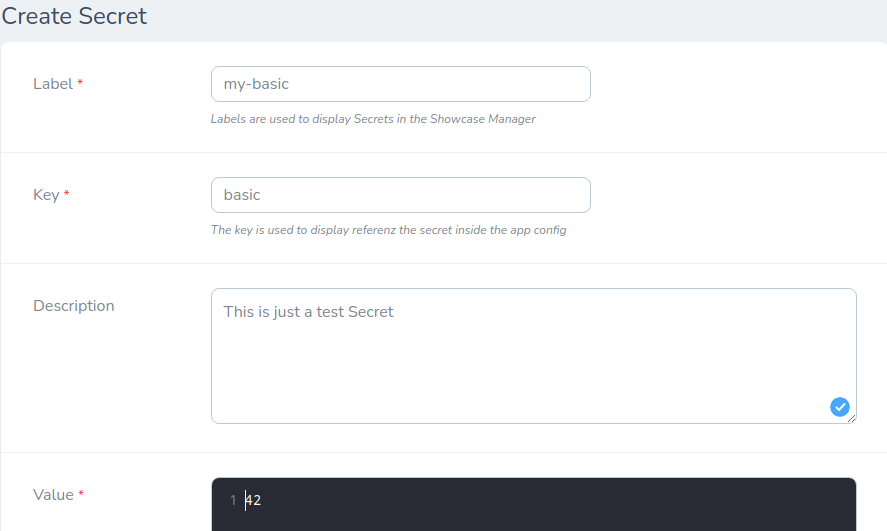
To create a new secret you have to fill out the form.
| Field | Description |
|---|---|
| label | This is just a label to identify the secret in the Showcase Manager e.g. stripe-private-key, third-party-api-token |
| key | (unique) This is the key that is used to reference the secret in the ClientConfig and in the Google Secret Manager. |
| description | (optional) you can add some details here |
| value | (json) the actual secret, it can be an array or a string. This will get injected into the ClientConfig when referenced |
# Using stored Secrets in the Showcase Client Config
Let's assume you have stored a secret with the key basic and a value of 42.
Then you can reference this secret inside the ClientConfig with secret:basic.
The sample ClientConfig could be:
[
    'debug' => false,
    'spam' => false,
    'secret:basic', // this is the secret
]
this will transform to:
[
    'debug' => false,
    'spam' => false,
    'basic' => 42, // this is the secret
]
You can use the secret seamlessly like a config. app('sc2.config')->get('basic') or \ClientConfig::get('basic')
# Verify that everything works in Google Cloud Platform
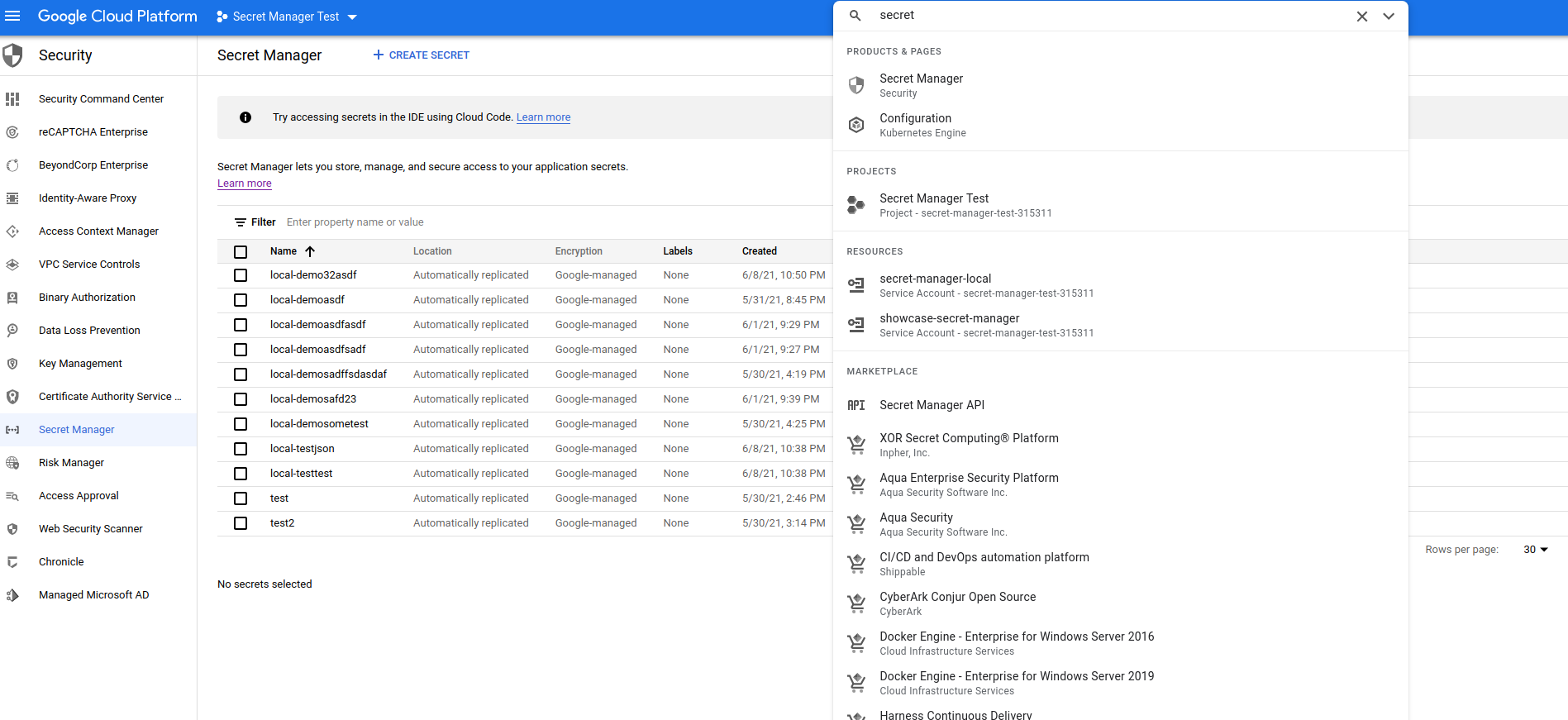
You can check if your secret is stored in the right project in the right place. If you go to https://console.cloud.google.com/ (opens new window) and search for secret you will find the Secret Manager.
If you click on, it should present you a list of secrets that have been stored for your project inside the Google Secret Manager. The name of the secret will be suffixed with the key you choose in the Showcase Manager.